ClickUp vs Trello vs Asana: Which Is Best for Freelancers?
ClickUp packs infinite features, Trello champions visual simplicity, and Asana excels at structured list views. Here is how the big three compare for solo business operations.
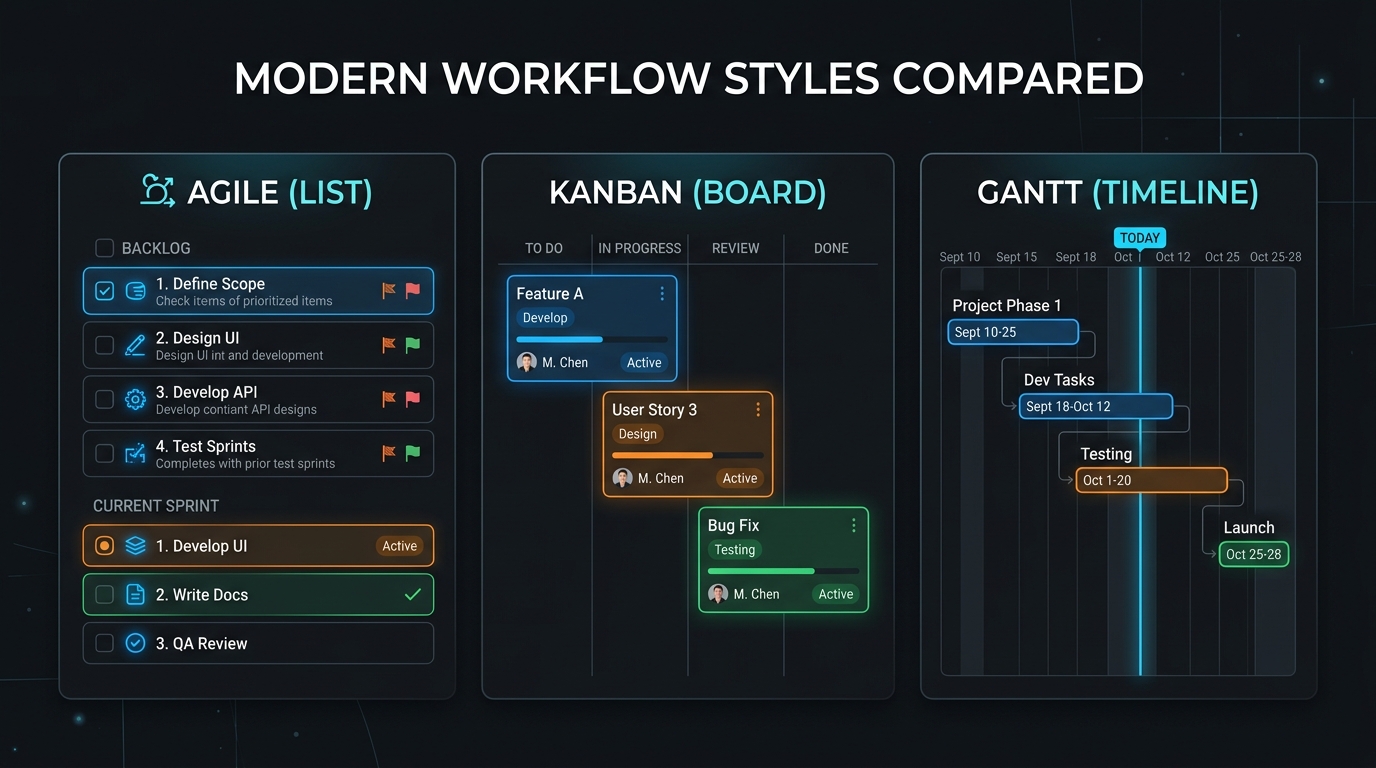
TABLE OF CONTENTS (13 SECTIONS)TAP TO EXPAND
- The Project Management Dilemma for Solo Operators
- Head-to-Head Comparison Matrix
- 1. Feature Depth vs. Simplicity: The Setup Curve
- ClickUp: The Customization Heavyweight
- Trello: Pure Visual Ergonomics
- Asana: The Balanced Middle Ground
- 2. Free Tier Comparison for Solo Businesses
- 3. Client Collaboration and Permissions
- 4. Time Tracking and Billing Integration
- The Verdict: Which One Should You Choose?
- Choose ClickUp if:
- Choose Trello if:
- Choose Asana if:
The Project Management Dilemma for Solo Operators
When you run a solo business, your project management tool is your digital office. It holds your client scopes, tracks your deliverable milestones, and helps you avoid missed deadlines.
The market is dominated by three major platforms: ClickUp, Trello, and Asana. While all three can handle simple to-do lists, they represent fundamentally different product philosophies:
- ClickUp: The modular Swiss Army knife aiming to replace docs, chat, spreadsheets, and time tracking.
- Trello: The visual minimalist focusing purely on frictionless drag-and-drop Kanban boards.
- Asana: The polished corporate workhorse designed around structured task hierarchies and team accountability.
In this head-to-head comparison, we evaluate ClickUp, Trello, and Asana specifically from the perspective of an independent freelancer.
Head-to-Head Comparison Matrix
| Feature / Metric | ClickUp | Trello | Asana |
|---|---|---|---|
| Primary Workflow Model | All-in-one customizable workspace | Visual Kanban boards | Structured lists & milestone sections |
| Free Tier Allowance | Unlimited tasks, 100MB storage | 10 boards / workspace, unlimited cards | Up to 10 users, unlimited tasks/projects |
| Paid Starting Price | ~$7 / user / mo (Unlimited, annual) | ~$5 / user / mo (Standard, annual) | ~$10.99 / user / mo (Starter, annual) |
| Native Time Tracking | Built-in stopwatch & manual logging | Requires Power-Up / Extension | Requires integration on lower tiers |
| Native Document Editor | Yes (ClickUp Docs with nested pages) | Basic Markdown card descriptions | Rich text task descriptions |
| Client Onboarding Curve | Moderate to High (dense UI) | Instant (under 2 minutes) | Low to Moderate |
| Mobile App Speed | Moderate (heavy resource footprint) | Fast and lightweight | Smooth and responsive |
| Best Freelance Persona | Power users & multi-service consultants | Copywriters, designers & visual creators | Strategy consultants & agency contractors |
1. Feature Depth vs. Simplicity: The Setup Curve
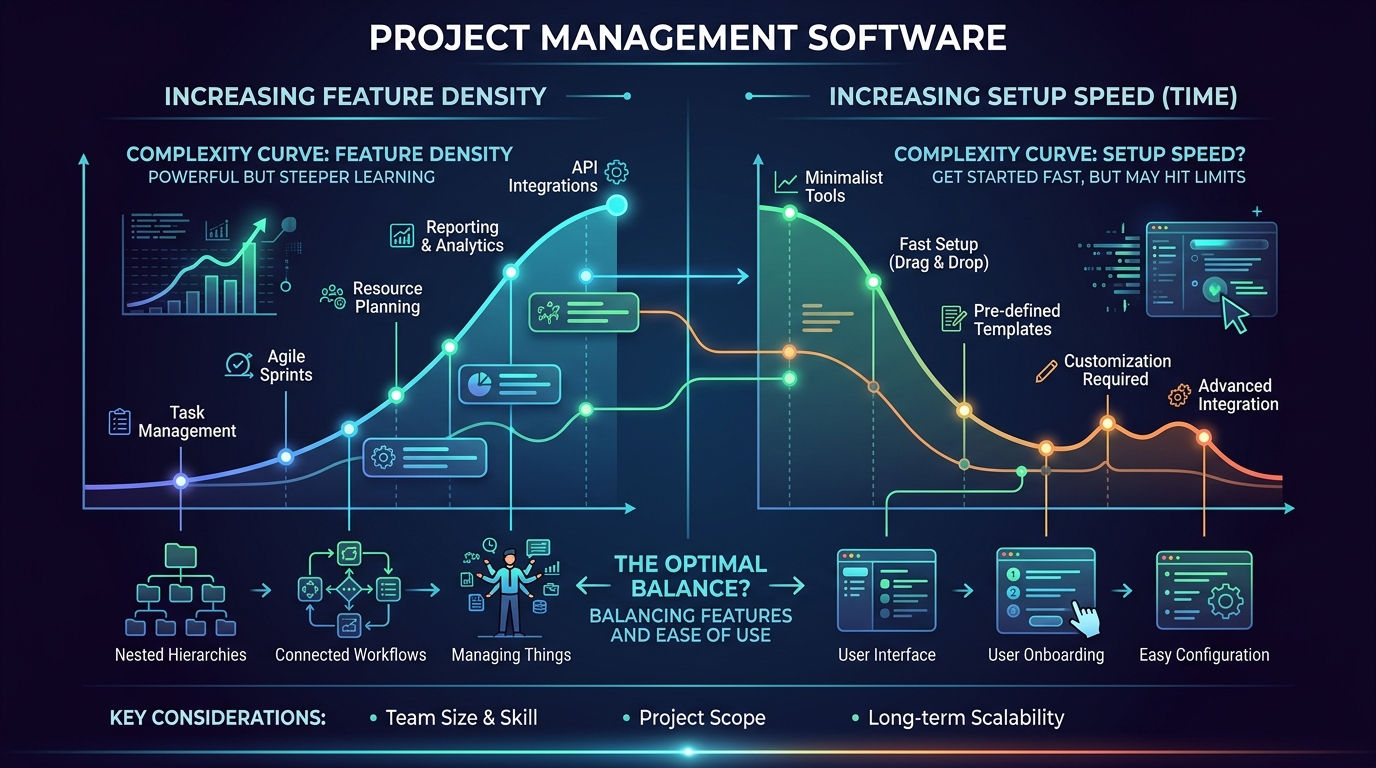 ClickUp offers the highest feature density but requires upfront configuration, whereas Trello delivers instant operational speed.
ClickUp: The Customization Heavyweight
ClickUp’s core premise is “one app to replace them all.” When you create a workspace, you get access to custom fields, Gantt timelines, whiteboard canvases, document wikis, and automated sprint folders.
- Freelancer Advantage: If you manage multifaceted retainers involving content drafting, asset handoffs, and hourly billing, having everything under one roof is powerful. You don’t need separate subscriptions for note-taking or time tracking.
- Freelancer Drawback: The interface is undeniably busy. You can easily spend an entire afternoon configuring custom dropdowns and automations instead of doing billable client work.
Trello: Pure Visual Ergonomics
Trello was built around the principle of physical sticky notes on a whiteboard. You create a board, define columns (e.g., To Do, Doing, Client Review, Done), and drag cards across stages.
- Freelancer Advantage: Trello has virtually zero learning curve. You can create a new board for a client in 45 seconds. Non-technical clients can immediately see project status without asking for status meetings.
- Freelancer Drawback: When a project reaches hundreds of completed items, horizontal Kanban boards become unwieldy to navigate.
Asana: The Balanced Middle Ground
Asana excels at hierarchical list views. You can group tasks into collapsible sections, assign due dates, create nested subtasks, and view work in a calendar format.
- Freelancer Advantage: Asana strikes a balance between structure and simplicity. Its clean typography and predictable layout make it easy to manage long-term client engagements with dozens of recurring deliverables.
- Freelancer Drawback: Key power features—including Timeline (Gantt) views and workflow automations—are strictly paywalled behind the $10.99/user/month Starter plan.
2. Free Tier Comparison for Solo Businesses
For solo freelancers who don’t want recurring overhead, each platform offers a distinct free-tier proposition:
- ClickUp Free Forever: Unlimited tasks, unlimited free members, collaborative docs, and native time tracking. The primary limitation is a strict 100MB file storage limit across the entire workspace.
- Trello Free: Up to 10 boards per workspace, unlimited cards, and unlimited Power-Ups. For a freelancer running 3 to 5 active clients, 10 boards is more than enough.
- Asana Personal (Free): Up to 10 collaborators, unlimited tasks, and unlimited projects in List, Board, and Calendar views. It offers plenty of headroom for solo operations.
For a broader roundup of zero-cost project software, check our breakdown of the best free project management tools for freelancers.
3. Client Collaboration and Permissions
How each tool handles external client access is a critical consideration for independent contractors:
- Trello: Allows you to invite clients as board members with full commenting and card-moving rights. Because Trello is widely known, most clients already have an account.
- Asana: Lets you invite guests with restricted access to specific projects. Guests only see tasks in the project they were invited to, preventing cross-client data exposure.
- ClickUp: Provides granular permissions (view only, comment only, full edit), but setting up permissions correctly requires careful attention to folder-level inheritance.
4. Time Tracking and Billing Integration
If you bill clients by the hour:
- ClickUp is the clear winner among the three for native time tracking. You can start a timer on any task card, categorize entries as billable or non-billable, and export time sheets to CSV for invoicing.
- Trello and Asana require connecting third-party time tracking extensions. You can pair them seamlessly with dedicated tools like Toggl or Clockify. Explore our guide on the best free time tracking apps for freelancers to set up an automated tracking workflow.
The Verdict: Which One Should You Choose?
Choose ClickUp if:
- You want a single workspace for tasks, project documentation, client wikis, and time logs.
- You love configuring custom workflows, statuses, and custom data fields.
- You want native time tracking without paying for external add-ons.
Choose Trello if:
- You want a simple, visual Kanban board that takes 2 minutes to set up.
- You work with non-technical clients who need an intuitive progress board.
- You value speed and simplicity over complex database properties.
Choose Asana if:
- You prefer structured, linear task lists with nested subtasks and milestones.
- You frequently collaborate with agency partners or corporate teams already using Asana.
- You need a reliable, rock-solid mobile app for on-the-go task review.
(Looking for high-speed alternatives designed strictly for software engineering? Read our Linear review for freelance developers.)
WHAT WE APPRECIATED (PROS)
- ✓All three offer robust free tiers suitable for solo contractors
- ✓Extensive third-party ecosystem integrations (Google Drive, Slack, Zapier)
- ✓Reliable iOS and Android mobile synchronization
- ✓Custom status workflows tailored to client delivery stages
DRAWBACKS & FRICTION (CONS)
- ✕Paid tiers enforce per-seat monthly billing designed for large teams
- ✕ClickUp's interface complexity can introduce significant initial friction
- ✕Asana locks Gantt timeline views behind premium tiers
ClickUp Rating Breakdown
Independent contractors and freelancers deciding which mainstream project management suite fits their operational complexity.
Trello is the clear winner for solo freelancers who prioritize rapid client onboarding and zero visual clutter. ClickUp wins for power users needing embedded docs and native timers, while Asana is best for consultants collaborating closely with corporate client teams.
EVALUATION METRICS
Speed of setup, friction in daily operations, and intuitive mental model for non-enterprise users.
Utility of capabilities without unnecessary enterprise bloat that slows down solo execution.
Return on investment for a single seat, clear billing tiers, and fair feature gates.
Uptime track record, offline resilience, and friction-free portable data export.
Specific suitability for client collaboration, single-seat economics, and lean overhead.
Frequently Asked Questions
Which tool is cheapest if a freelancer needs to upgrade to a paid tier?+
Trello's Standard plan is generally the most affordable paid upgrade (around $5/user/month billed annually), followed by ClickUp Unlimited (around $7/user/month billed annually). Asana Starter is significantly more expensive at $10.99/user/month.
Can I use ClickUp, Trello, or Asana to track billable client hours?+
ClickUp includes native time tracking on its free tier. Trello and Asana require third-party Power-Ups or external extensions (such as Toggl Track or Clockify) to log hours on task cards.
Is ClickUp too complicated for a one-person freelance business?+
For many freelancers, yes. ClickUp has a steep learning curve with dozens of customizable hierarchies (Spaces, Folders, Lists, Tasks, Subtasks). If you just need a straightforward checklist or Kanban board, Trello or Linear is much faster to set up.

Freelance Tool Guide Team
The editorial team behind Freelance Tool Guide, independently researching and testing software for freelancers and small teams.
More Independent Software Analyses
Best Free Project Management Tools for Freelancers in 2026
Looking for zero-cost project tracking? We break down the best free project management software for solo freelancers, comparing limits, boards, and client workflows.
Linear Review: The Zero-Friction Project Tracker for Solo Operators
Why Linear is the ultimate project management tool for freelance software engineers and boutique studios. Real-world testing, client portals, and pricing.
Best Free Time Tracking Apps for Freelancers in 2026
Never leak unbilled hours again. We analyze the best free time tracking apps for independent contractors, evaluating reporting, idle detection, and export capabilities.