Best Free Project Management Tools for Freelancers in 2026
You don't need a $20/month enterprise subscription to keep client deliverables on schedule. These 6 free-tier project management tools provide serious horsepower without artificial paywalls.
TABLE OF CONTENTS (27 SECTIONS)TAP TO EXPAND
- The Zero-Budget Project Management Reality
- Quick Comparison: Best Free Project Management Tools for Freelancers
- 1. Linear: The High-Velocity Standard for Technical Freelancers
- What the Free Tier Includes
- Where Linear Excels for Freelancers
- Key Limitations
- 2. Trello: The Frictionless Kanban Board for Creative Workflows
- What the Free Tier Includes
- Where Trello Excels for Freelancers
- Key Limitations
- 3. ClickUp: Feature-Dense All-in-One Powerhouse
- What the Free Tier Includes
- Where ClickUp Excels for Freelancers
- Key Limitations
- 4. Asana: Structured Milestone Tracking for Client Collaboration
- What the Free Tier Includes
- Where Asana Excels for Freelancers
- Key Limitations
- 5. Notion: The Ultimate Customizable Operating System
- What the Free Tier Includes
- Where Notion Excels for Freelancers
- Key Limitations
- How to Choose the Right Free Tool for Your Solo Business
- Frequently Asked Questions
- Will my clients need to create an account to view my project board?
- How do I handle file attachments if my free project tool has storage limits?
- Can I migrate my tasks later if I outgrow the free tier?
The Zero-Budget Project Management Reality
For a solo freelancer, cash flow predictability is everything. When you are balancing quarterly taxes, hardware depreciation, and client invoicing cycles, paying $15 to $30 every month for enterprise project management software is rarely justified.
Most modern project management suites were designed around middle-management hierarchies, complex permission matrices, and sprint velocity reporting. When you work independently, you do not need 40-step approval chains or burndown charts; you need a fast, reliable workspace that captures client scope, organizes deadlines, and lets you deliver high-quality work on time.
Fortunately, several leading software platforms provide genuinely generous free tiers that solo operators can use without ever upgrading. In this guide, we break down the top free project management tools for freelancers in 2026 based on verified feature limits, client communication ergonomics, and overall workflow speed.
Quick Comparison: Best Free Project Management Tools for Freelancers
| Tool | Free Tier Allowance | Best For | Standout Strengths | Key Limitation |
|---|---|---|---|---|
| Linear | 250 active issues, unlimited users | Software engineers & technical consultancies | Sub-50ms UI speed, Git integration, keyboard shortcuts | Constrained custom fields, non-software workflows |
| Trello | Up to 10 boards / workspace, unlimited cards | Creative freelancers & visual organizers | Instant onboarding, visual Kanban, Power-Up flexibility | Basic list view, lacks built-in Gantt timelines |
| ClickUp | Unlimited tasks, 100MB storage | Freelancers needing all-in-one feature breadth | Native docs, time tracking, custom statuses | Steeper learning curve, cluttered initial interface |
| Asana | Up to 10 teammates, unlimited tasks/projects | Multi-collaborator client deliverables | Polished list/board views, reliable mobile app | Timeline & automations locked behind Starter tier |
| Notion | Unlimited blocks (solo), 5MB file upload limit | Consultants managing client portals & wikis | Relational databases, bespoke dashboard views | Requires manual setup, lacks built-in task timers |
| GitHub Projects | Unlimited public/private boards & issues | Solo developers building open source or client repos | Deep code branch linkage, zero context switching | Strictly technical, intimidating for non-dev clients |
1. Linear: The High-Velocity Standard for Technical Freelancers
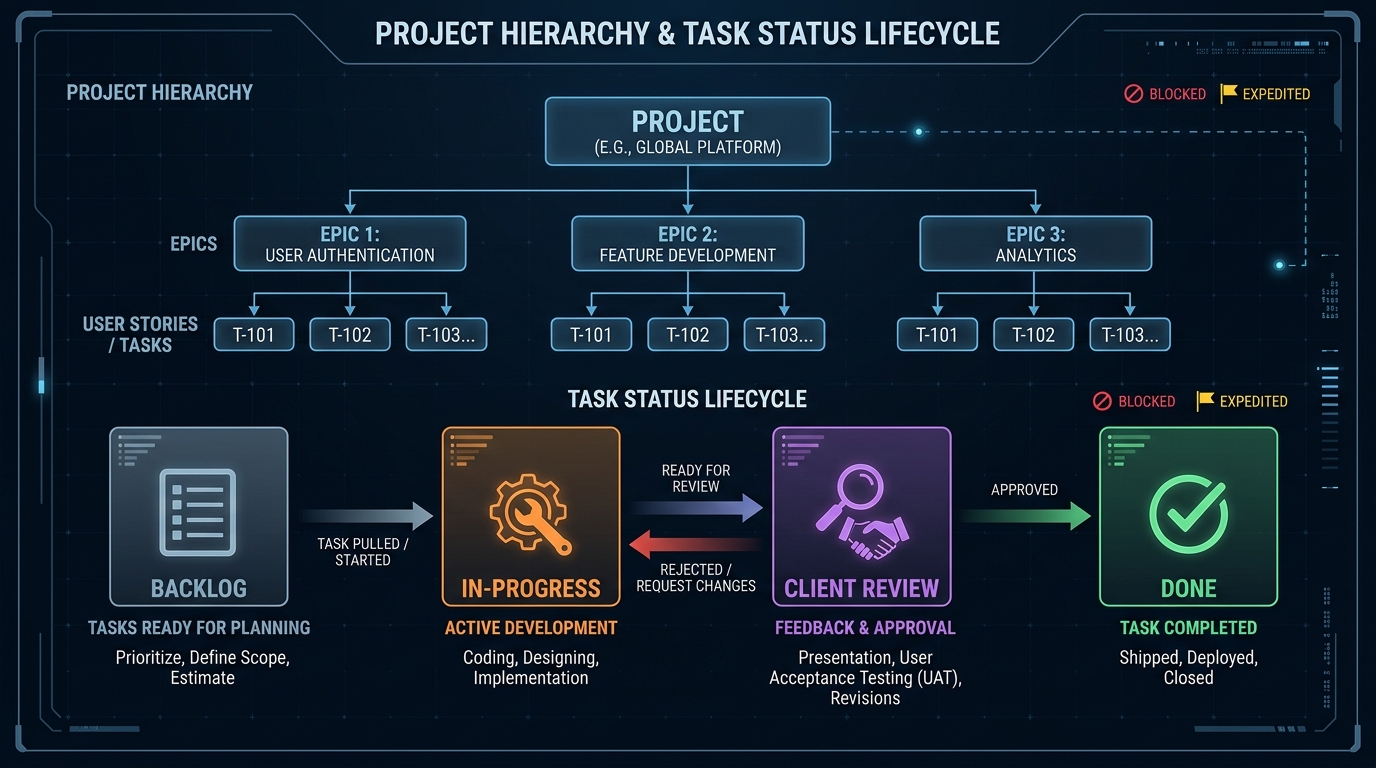 Linear structures backlog, in-progress, client review, and done states in a distraction-free environment.
If your freelance business involves writing code, systems architecture, or technical consulting, Linear is the gold standard. While competitors focus on adding dozens of widgets, Linear focuses on raw speed, keyboard navigation, and structural clarity.
What the Free Tier Includes
Linear’s free tier is one of the most generous in the SaaS ecosystem:
- 250 Active Issues: You can maintain up to 250 active tasks simultaneously. Completed, canceled, and archived tasks do not count toward this limit.
- Unlimited Team Members & Guests: You can invite subcontractors or clients directly to specific teams without paying per-seat fees.
- Full API & Git Integration: Native two-way synchronization with GitHub, GitLab, and automated branch workflows.
- Full Desktop & Mobile Experience: Native macOS, Windows, iOS, and Android clients with full offline caching.
Where Linear Excels for Freelancers
Linear eliminates administrative friction. Every action in the app can be executed via the Cmd+K command palette in milliseconds. If you bill by the hour or operate on tight fixed-price sprints, you will spend less time dragging cards and more time writing deliverables. To learn more about its architecture, read our full Linear review for independent studios.
Key Limitations
Linear does not offer built-in client invoicing, contract generation, or native time tracking. If you need a comprehensive comparison of how Linear stacks up against generalist tools, check our breakdown of ClickUp vs Trello vs Asana.
2. Trello: The Frictionless Kanban Board for Creative Workflows
Trello introduced the modern digital Kanban board to the world, and its core free tier remains one of the simplest ways for creative freelancers, copywriters, and virtual assistants to coordinate client work.
What the Free Tier Includes
- Up to 10 Boards per Workspace: Create separate boards for individual clients or internal business operations.
- Unlimited Cards & Lists: No restriction on how many tasks you create within your 10 boards.
- Unlimited Power-Ups: Enable integrations such as Google Drive previews, custom calendar views, or Slack notifications per board.
- 10MB File Attachment Limit: Generous enough for document briefs, wireframe images, and PDFs.
Where Trello Excels for Freelancers
The primary advantage of Trello is zero client resistance. When you send a client a Trello board link, they understand how to use it within 30 seconds without onboarding tutorials. You can set up straightforward columns: Backlog, In Progress, Client Feedback Required, and Approved / Completed.
Key Limitations
Trello struggles when projects grow beyond 50 active tasks per board. Because each task is represented as a visual card, scrolling through extensive backlogs can feel visually overwhelming compared to compact list-based tools.
3. ClickUp: Feature-Dense All-in-One Powerhouse
If you want a single tool that handles task checklists, collaborative documentation, goal tracking, and basic time tracking without spending money, ClickUp offers the most feature-packed free plan on the market.
What the Free Tier Includes
- Unlimited Tasks & Members: No arbitrary ceiling on the number of action items you can track.
- Multiple View Types: Switch between List, Kanban Board, Calendar, and Table views dynamically.
- Collaborative Docs: Rich-text document editor for drafting client briefs, meeting minutes, and specifications.
- Native Time Tracking: Built-in stopwatch timers on every task card with manual time entry options.
Where ClickUp Excels for Freelancers
ClickUp replaces multiple single-purpose tools. Having documents, task assignments, and time logs unified under one interface prevents context switching. It also allows you to configure custom task statuses (e.g., Awaiting Client Asset, Under Staging Review) tailored to your specific delivery process.
Key Limitations
The free plan enforces a 100MB total file storage cap. If you frequently upload high-resolution design assets or video previews, you will hit this storage limit quickly. Additionally, ClickUp’s extensive configuration options can induce decision fatigue for solo operators who just want a clean to-do list.
4. Asana: Structured Milestone Tracking for Client Collaboration
Asana is an enterprise staple, but its free tier (Asana Personal) is exceptionally solid for freelancers who work alongside client marketing teams or agency partners.
What the Free Tier Includes
- Up to 10 Collaborators: Share your workspace with up to 10 team members, subcontractors, or client stakeholders.
- Unlimited Tasks & Projects: Create as many project spaces as needed for different retainers.
- List, Board, & Calendar Views: Flexible visualization options that adapt to your personal work style.
- Unlimited Activity Log: Complete audit trail of task status changes and comments.
Where Asana Excels for Freelancers
Asana’s list view is one of the most refined in the industry. It handles subtasks, recurring task schedules (e.g., monthly retainer reports), and due-date dependencies with predictable reliability. If your client already uses Asana internally, sharing project boards creates zero friction.
Key Limitations
Asana reserves its automated rule engine and Gantt-style Timeline view for paid tiers starting at $10.99/user/month. If your client delivery relies heavily on complex visual Gantt charts, you will need to rely on the Calendar view or an external tool.
5. Notion: The Ultimate Customizable Operating System
While Notion is primarily a modular workspace and knowledge engine, its relational database capabilities allow freelancers to build bespoke project management systems that rival commercial CRMs.
What the Free Tier Includes
- Unlimited Pages & Blocks for Solo Users: Create limitless databases, tables, kanban boards, and project dashboards.
- Up to 10 Guest Collaborators: Invite clients to specific subpages without exposing your entire workspace.
- 5MB File Upload Limit: Sufficient for documents, PDFs, and compressed images.
- Relational Database Linking: Connect project tasks directly to client CRM records, invoices, and meeting notes.
Where Notion Excels for Freelancers
Notion allows you to build an all-in-one Client Portal. Instead of sending your client one link for tasks, another for documents, and another for project scope, you can embed your tasks, deliverables, and knowledge base within a single branded page. If you are debating between local note systems and cloud databases, explore our detailed comparison of Obsidian vs Notion for freelance knowledge bases.
Key Limitations
Notion is an open canvas. If you do not enjoy designing your own database properties, formulas, and views, building a project tracking system from scratch takes time away from billable work.
How to Choose the Right Free Tool for Your Solo Business
To select the ideal platform without overthinking:
- If you write software or configure APIs: Pick Linear for its sub-50ms performance and deep Git integration. Pair it with lightweight developer tools like Postman alternatives for API testing to keep your local environment fast.
- If you manage client retainers with non-technical stakeholders: Pick Trello for instant visual comprehension and zero onboarding friction.
- If you want docs, tasks, and timers in one place: Pick ClickUp, but keep external file storage (like Google Drive or Dropbox) to avoid the 100MB cap.
- If you want a unified client portal with linked notes: Pick Notion to combine project boards with contracts, client meeting records, and deliverable archives.
Frequently Asked Questions
Will my clients need to create an account to view my project board?
In Trello, Asana, and Linear, clients will generally need a free account to leave comments or move cards. However, Notion and Linear allow you to generate read-only public web links, allowing clients to review roadmap progress without creating login credentials.
How do I handle file attachments if my free project tool has storage limits?
Instead of uploading raw 50MB assets directly to task cards, upload client deliverables to cloud storage and paste the shareable URL directly into the task description. This keeps your project management workspace snappy and prevents you from ever hitting free tier storage ceilings.
Can I migrate my tasks later if I outgrow the free tier?
Yes. Every tool listed in this review supports standard CSV, JSON, or Markdown export formats, allowing you to migrate your active issues to another platform if your freelance practice expands into a multi-person agency.
WHAT WE APPRECIATED (PROS)
- ✓No credit card required to manage active client roadmaps
- ✓Modern, responsive interfaces across desktop and mobile devices
- ✓Granular task dependencies, custom tags, and milestone scheduling
- ✓Clean client-facing sharing options to keep stakeholders aligned
DRAWBACKS & FRICTION (CONS)
- ✕Free plans often restrict advanced Gantt charts and deep automation runs
- ✕Storage caps on file attachments (e.g. 100MB in ClickUp, 5MB per file in Notion)
- ✕Some platforms lock multi-client guest permissions behind paid tiers
Best Free Project Management Tools for Freelancers in 2026 Rating Breakdown
Solo consultants, freelance developers, and independent creators looking for robust project organization without recurring monthly overhead.
For technical freelancers and solo software developers, Linear offers the cleanest, fastest free tier on the market with up to 250 active issues. For creative and multi-disciplinary consultants, Notion and Trello provide maximum layout flexibility without restrictive user fees.
EVALUATION METRICS
Speed of setup, friction in daily operations, and intuitive mental model for non-enterprise users.
Utility of capabilities without unnecessary enterprise bloat that slows down solo execution.
Return on investment for a single seat, clear billing tiers, and fair feature gates.
Uptime track record, offline resilience, and friction-free portable data export.
Specific suitability for client collaboration, single-seat economics, and lean overhead.
Frequently Asked Questions
Can a freelancer run client projects on free project management software indefinitely?+
Yes. As long as you maintain operational hygiene—such as archiving completed client projects to stay under active issue limits—platforms like Linear, Trello, and Notion can comfortably support a solo consulting business for years without paying a cent.
Which free project management tool is easiest for non-technical clients to use?+
Trello remains the most intuitive platform for non-technical clients due to its visual Kanban cards and drag-and-drop simplicity. Notion is also an excellent option if you create a streamlined, read-only client dashboard portal.
Why do so many free project management plans limit automations?+
Automations and background webhooks consume server compute. SaaS vendors deliberately cap free tier automations (such as auto-assigning tasks or sending Slack alerts) to encourage growing businesses to upgrade to paid plans.

Freelance Tool Guide Team
The editorial team behind Freelance Tool Guide, independently researching and testing software for freelancers and small teams.
More Independent Software Analyses

Linear Review: The Zero-Friction Project Tracker for Solo Operators
Why Linear is the ultimate project management tool for freelance software engineers and boutique studios. Real-world testing, client portals, and pricing.
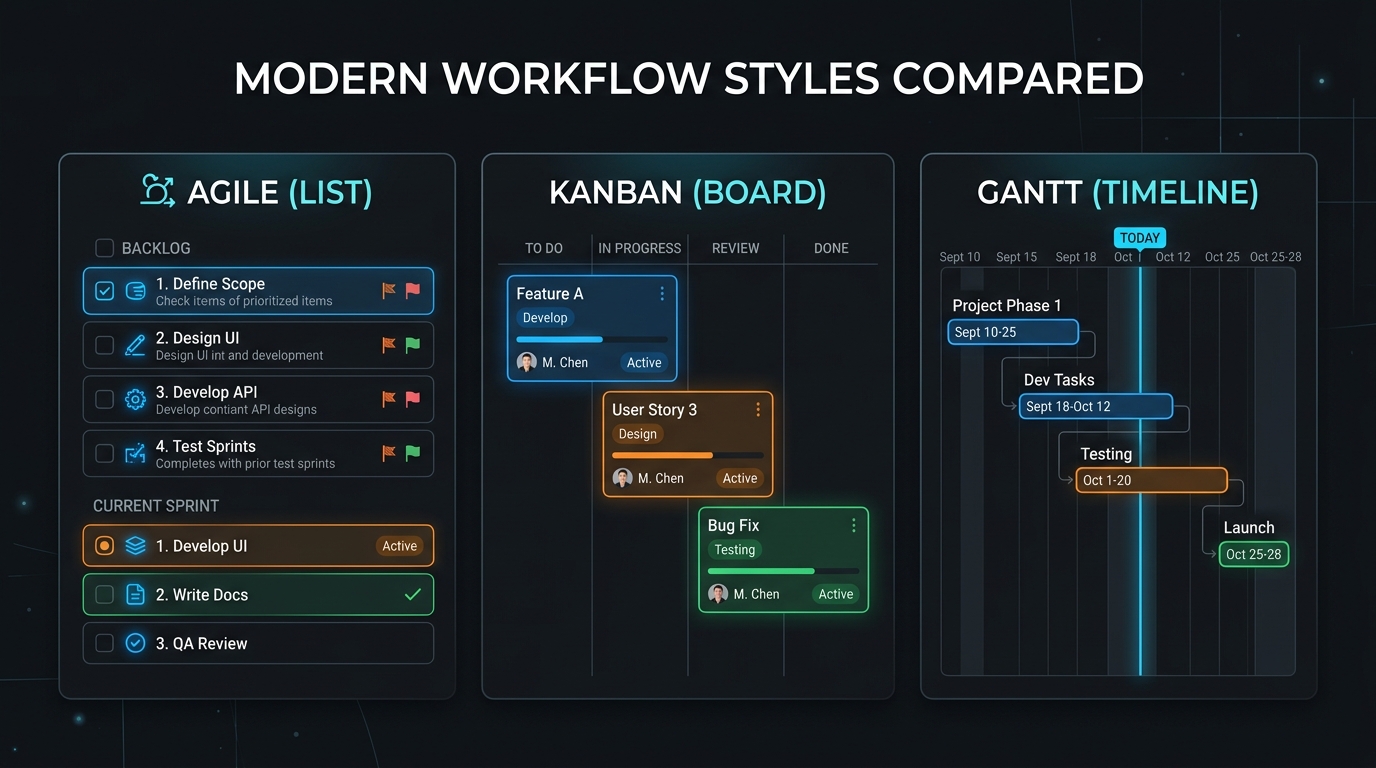
ClickUp vs Trello vs Asana: Which Is Best for Freelancers?
Choosing between ClickUp, Trello, and Asana for solo client work? We compare pricing traps, free tier limits, mobile apps, and freelancer suitability in 2026.
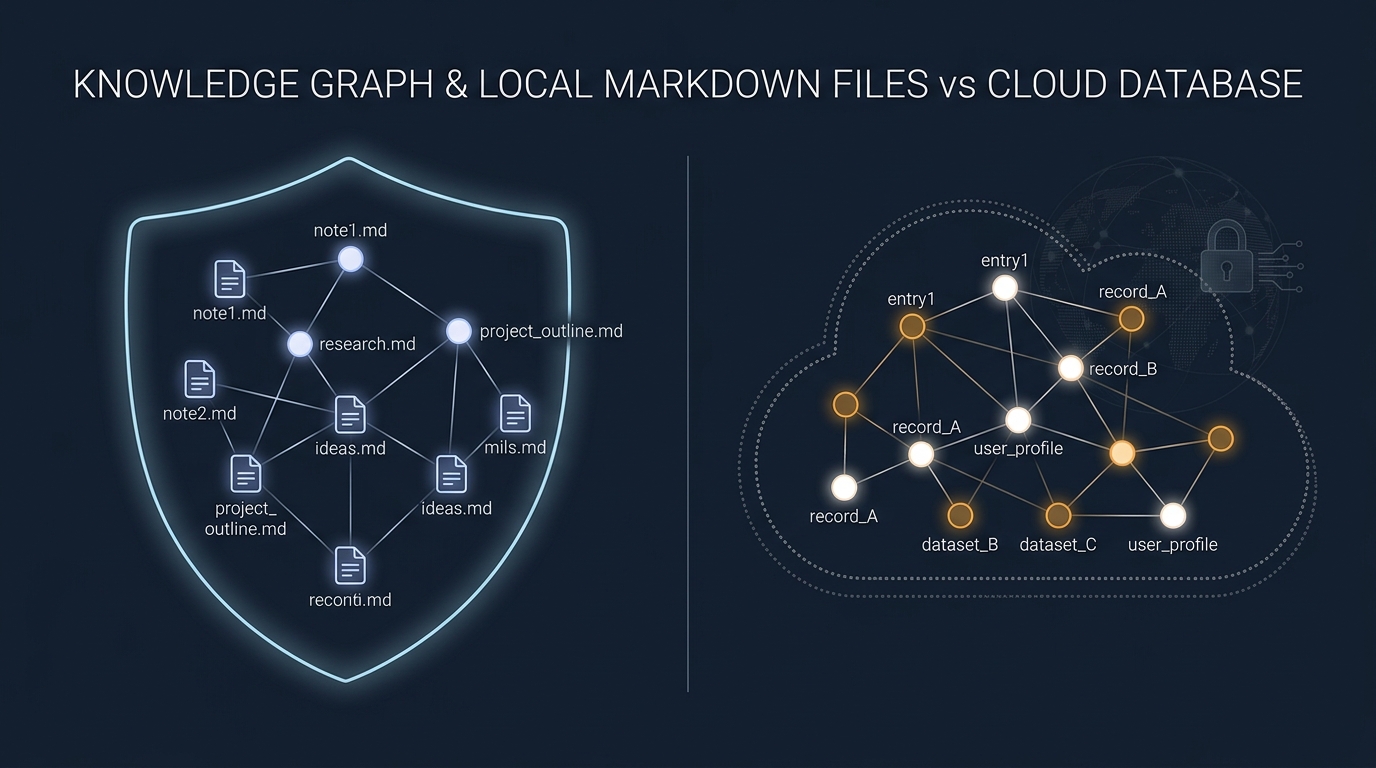
Obsidian vs Notion: Why Privacy-Conscious Freelancers Are Leaving the Cloud
We compare Notion's collaborative database workspace against Obsidian's local-first Markdown vault. Performance, data lock-in, and offline reliability.