Best Password Managers for Freelancers in 2026
Storing client passwords in plaintext text files or unencrypted spreadsheets is a critical liability. These 5 zero-knowledge password managers keep client secrets locked down.
TABLE OF CONTENTS (11 SECTIONS)TAP TO EXPAND
- The Silent Liability in Freelance Consulting
- Quick Comparison: Best Password Managers for Freelancers
- 1. 1Password: The Undisputed Developer & Agency Standard
- Why Freelancers Rely On 1Password
- Key Limitation
- 2. Bitwarden: The Open-Source, Unlimited Free Champion
- Why Freelancers Rely On Bitwarden
- 3. Proton Pass: Privacy-First Encryption with Email Aliases
- Why Freelancers Rely On Proton Pass
- 4. KeePassXC: The Offline, Air-Gapped Alternative
- The Verdict: Which Password Manager Fits Your Stack?
The Silent Liability in Freelance Consulting
As an independent contractor, you routinely receive the keys to your clients’ most valuable infrastructure:
- Production database passwords and AWS access keys.
- WordPress, Shopify, and Webflow administrator credentials.
- Stripe and payment gateway API tokens.
- Staging server SSH keys and private Git repositories.
If a breach occurs on your local workstation and a client’s production environment is compromised, your professional reputation is ruined and you face severe legal liability. Storing client secrets in Apple Notes, Google Sheets, or unencrypted .env files is an unacceptable risk.
A Zero-Knowledge Password Manager ensures all credentials are encrypted on your device using a master key that never leaves your machine. Here are the best password managers for freelancers in 2026.
Quick Comparison: Best Password Managers for Freelancers
| Password Manager | Free Tier Available | Starting Price | Best For | Standout Developer / Freelance Feature |
|---|---|---|---|---|
| 1Password | 14-day free trial | ~$2.99 / mo (Individual) | Professional developers & agencies | Native SSH Agent, CLI, and Psst! encrypted sharing |
| Bitwarden | 100% Free Forever (Unlimited items) | $10 / year (Premium) | Budget-conscious & open-source advocates | Fully open-source, unlimited devices, Bitwarden Send |
| Proton Pass | Free tier (Unlimited logins) | ~$2.99 / mo (Pass Plus) | Privacy purists & Swiss encryption seekers | Integrated email privacy aliases (hide-my-email) |
| Dashlane | Free tier (1 device, 25 passwords) | ~$4.99 / mo (Standard) | Non-technical freelancers wanting live dark web alerts | Phishing protection, built-in VPN, automatic alerts |
| KeePassXC | 100% Free & Open Source | $0 (Local offline) | Air-gapped security & extreme privacy | Zero cloud synchronization, local encrypted database file |
1. 1Password: The Undisputed Developer & Agency Standard
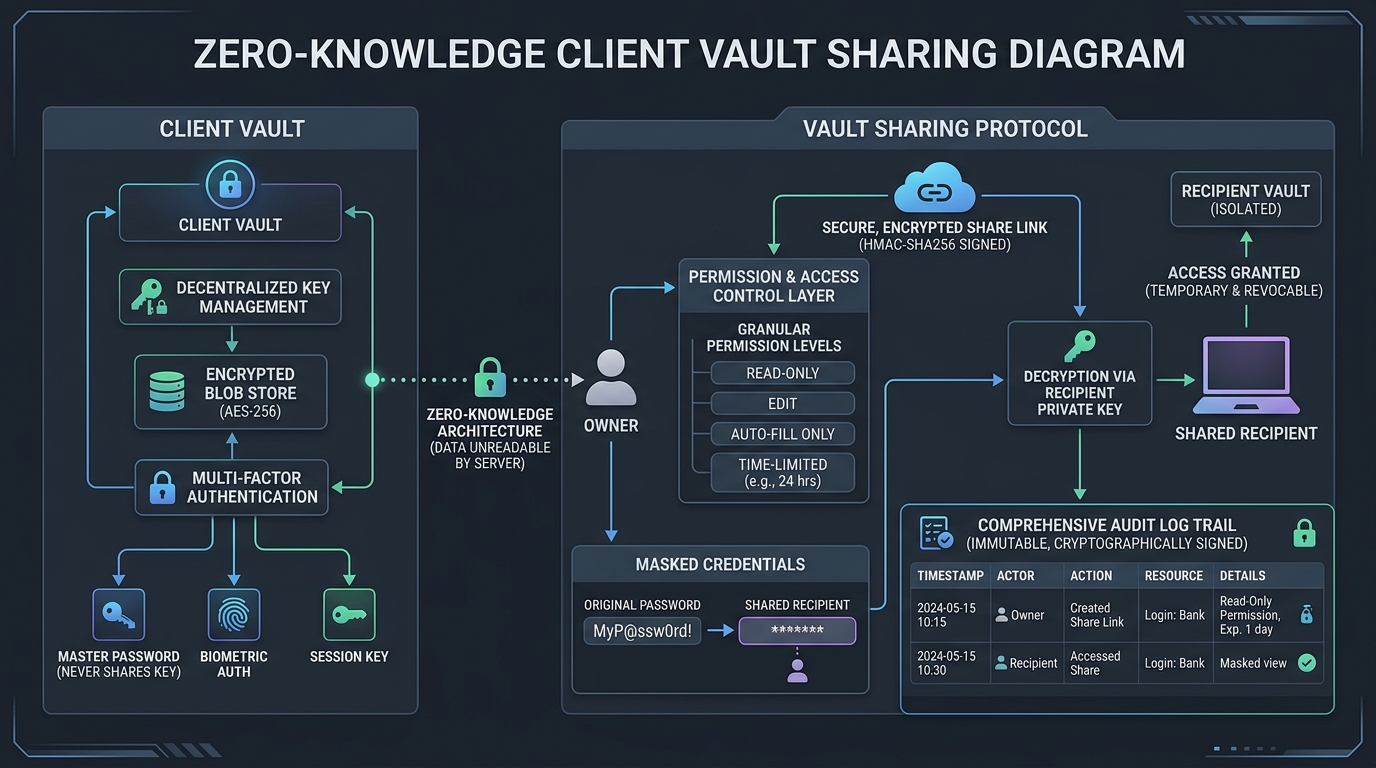 1Password allows you to create isolated client vaults with granular access controls and audit logs.
1Password is widely regarded as the most refined, developer-friendly password manager in the software industry.
Why Freelancers Rely On 1Password
- Client Vault Separation: You can create dedicated vaults for each client (e.g., Acme Corp Vault, Beta Studio Vault). When an engagement concludes, you can archive or delete that client’s vault with a single click, ensuring you never retain unauthorized client credentials.
- 1Password Developer Tools: Includes a native SSH Key Agent and a powerful CLI tool (
op). You can sign Git commits with biometric Touch ID, inject environment variables into your local development servers without storing.envfiles, and autofill credentials in tools like Postman and Hoppscotch for API testing. - Psst! Secure Item Sharing: Need to send a database password or API token to a client? 1Password generates an encrypted, expiring web link that automatically deletes after one view.
- Raycast & Spotlight Integration: You can instantly search and copy credentials without taking your fingers off the keyboard using Raycast Pro productivity extensions.
Key Limitation
1Password does not have a permanent free tier (only a 14-day free trial), though its individual plan at under $3/month is easily justified as a core business expense.
2. Bitwarden: The Open-Source, Unlimited Free Champion
If you want an open-source, auditable password manager with an exceptionally generous free tier, Bitwarden is the top choice.
Why Freelancers Rely On Bitwarden
- Unlimited Passwords & Devices on Free Plan: Unlike competitors that restrict free users to a single device, Bitwarden’s free plan allows unlimited logins synced across your phone, tablet, and desktop.
- Bitwarden Send: Send encrypted text snippets or files (up to 500MB on Premium) directly to clients with custom expiration dates and password protection.
- Audited Zero-Knowledge Architecture: Bitwarden’s source code is publicly audited by top third-party cybersecurity firms, ensuring no backdoors or proprietary lock-in.
- Ultra-Affordable Premium Upgrade: Bitwarden Premium costs just $10 per year (less than $1/month), unlocking built-in 2FA authenticator code generation and encrypted file attachments.
3. Proton Pass: Privacy-First Encryption with Email Aliases
Developed by Proton (the creators of Proton Mail and Proton VPN based in Switzerland), Proton Pass provides robust data security protected by Swiss privacy laws.
Why Freelancers Rely On Proton Pass
- Integrated Email Aliases: Proton Pass includes built-in “Hide-my-email” aliases powered by SimpleLogin. When signing up for new software trials or client tools, you can generate a randomized forwarding alias, keeping your primary business email completely spam-free.
- Modern, Minimalist Interface: Fast, responsive browser extensions and mobile apps with clean biometric unlock.
- Passkey Support: Full support for passwordless Passkeys across desktop and mobile browsers.
4. KeePassXC: The Offline, Air-Gapped Alternative
For developers working on sensitive government, defense, or high-security financial contracts where cloud synchronization is strictly forbidden by NDA, KeePassXC is the ultimate local tool.
- No Cloud Servers: Your password database is stored as a single
.kdbxfile encrypted with AES-256 or ChaCha20 on your local hard drive. - Zero Telemetry: KeePassXC never connects to the internet, making it mathematically immune to cloud server outages or vendor data breaches.
- Local Synchronization: You can sync your encrypted database file securely across devices using local USB keys or privacy-respecting file storage tools. To understand how local encryption philosophies protect client data, read our comparison of Obsidian vs Notion for freelance knowledge bases.
The Verdict: Which Password Manager Fits Your Stack?
- If you write code, use SSH keys, or share client vaults: Pay the $3/month for 1Password. The time saved via the CLI and SSH agent pays for itself in the first week.
- If you want an unrestricted, open-source free tool: Choose Bitwarden. It is rock-solid, fully audited, and completely free on unlimited devices.
- If you want Swiss privacy and email masking aliases: Choose Proton Pass.
- If your client contracts forbid cloud syncing: Store your local database with KeePassXC.
WHAT WE APPRECIATED (PROS)
- ✓Zero-knowledge end-to-end encryption architecture (AES-256 / ChaCha20)
- ✓Separate dedicated vaults for individual clients to prevent cross-contamination
- ✓Secure password and credential sharing links with customizable expiration times
- ✓Native SSH key agent and developer CLI for seamless terminal authentication
DRAWBACKS & FRICTION (CONS)
- ✕1Password lacks a permanent free tier (only a 14-day trial)
- ✕Self-hosting Bitwarden (Vaultwarden) requires basic DevOps server maintenance
- ✕Recovering a lost master key without an emergency kit is mathematically impossible
Best Password Managers for Freelancers in 2026 Rating Breakdown
Freelance developers, IT consultants, and remote specialists who handle client server credentials, API tokens, and production logins.
1Password remains our top recommendation for freelance developers due to its world-class SSH key agent, CLI integration, and granular vault sharing. For a 100% free, open-source, and zero-knowledge alternative, Bitwarden is our standout open-source pick.
EVALUATION METRICS
Speed of setup, friction in daily operations, and intuitive mental model for non-enterprise users.
Utility of capabilities without unnecessary enterprise bloat that slows down solo execution.
Return on investment for a single seat, clear billing tiers, and fair feature gates.
Uptime track record, offline resilience, and friction-free portable data export.
Specific suitability for client collaboration, single-seat economics, and lean overhead.
Frequently Asked Questions
Why is it dangerous for a freelancer to store client passwords in browser auto-fill?+
Browser password managers (like Google Chrome or Safari) do not provide zero-knowledge vault separation across multiple client organizations. Furthermore, malicious browser extensions or local infostealer malware can extract unprotected browser credentials in seconds.
How can I securely share credentials with a client who doesn't use a password manager?+
Both 1Password (via Psst links) and Bitwarden (via Bitwarden Send) allow you to generate end-to-end encrypted, one-time sharing links. You can set the link to expire after a single view or 24 hours, ensuring the secret never sits in plaintext in email or Slack.
Can a password manager store SSH keys and API secrets for developer workflows?+
Yes. 1Password features a built-in SSH Agent that integrates directly with Git and your terminal, authorizing SSH commits and server connections via fingerprint biometrics (Touch ID / Windows Hello) without exposing raw private keys.

Freelance Tool Guide Team
The editorial team behind Freelance Tool Guide, independently researching and testing software for freelancers and small teams.
More Independent Software Analyses
Raycast Pro Review: The Essential macOS Command Center for Freelancers
How Raycast replaces Alfred, Rectangle, Paste, and native AI assistants in a single, blazing-fast macOS application. Full freelance testing and setup guide.
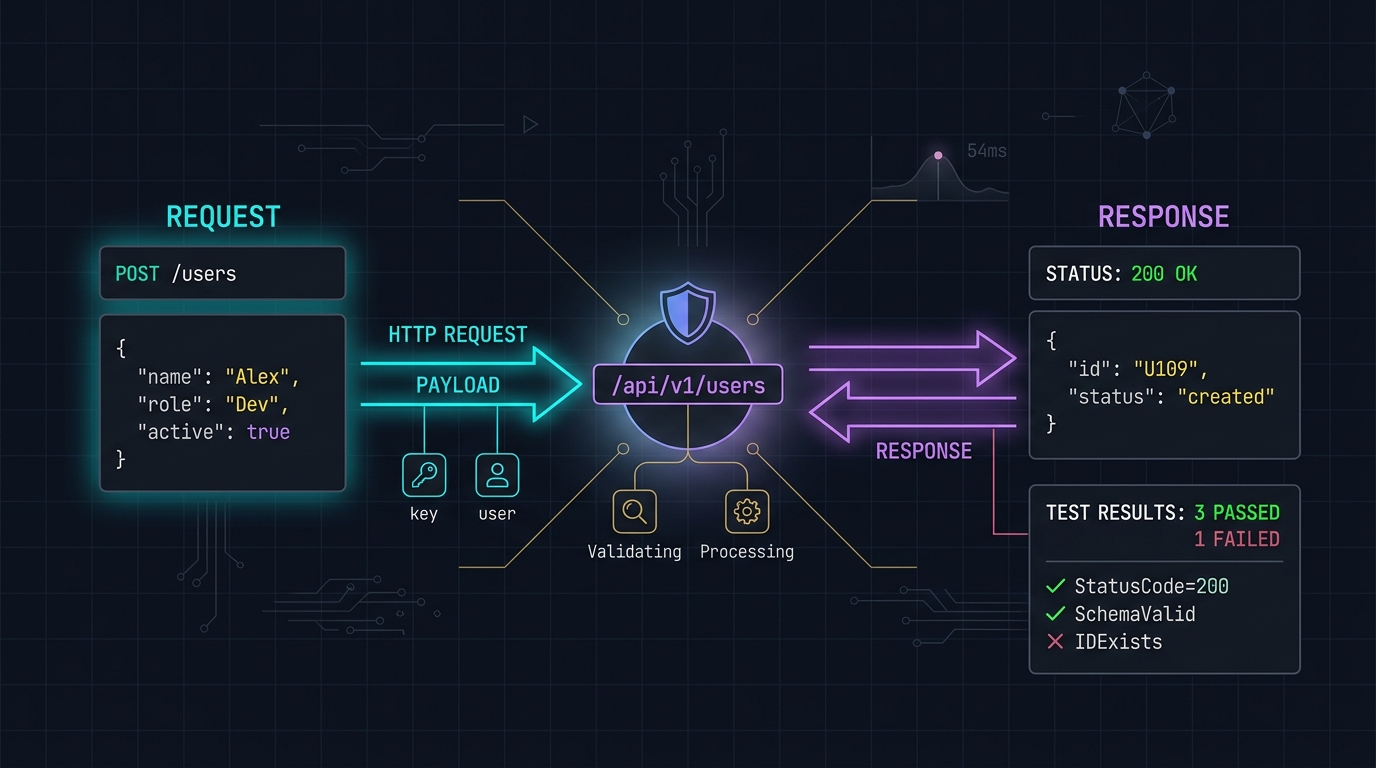
Postman Alternatives: Why Freelancers Are Switching to Hoppscotch and Bruno
Postman's forced cloud accounts and bloated Electron footprint have alienated independent developers. We evaluate lightweight, local-first API testing tools.

How to Set Up a Zero-Maintenance Freelance Hosting Stack
Stop rebooting client Linux servers on weekends. Learn how freelance web developers use Vercel, Netlify, and Cloudflare to build zero-maintenance hosting stacks.