Best Client Portal Software for Freelancers in 2026
Scattering project assets across email threads, Dropbox links, and Slack channels confuses clients and invites scope creep. A dedicated client portal creates a unified, professional hub for approvals, files, and billing.
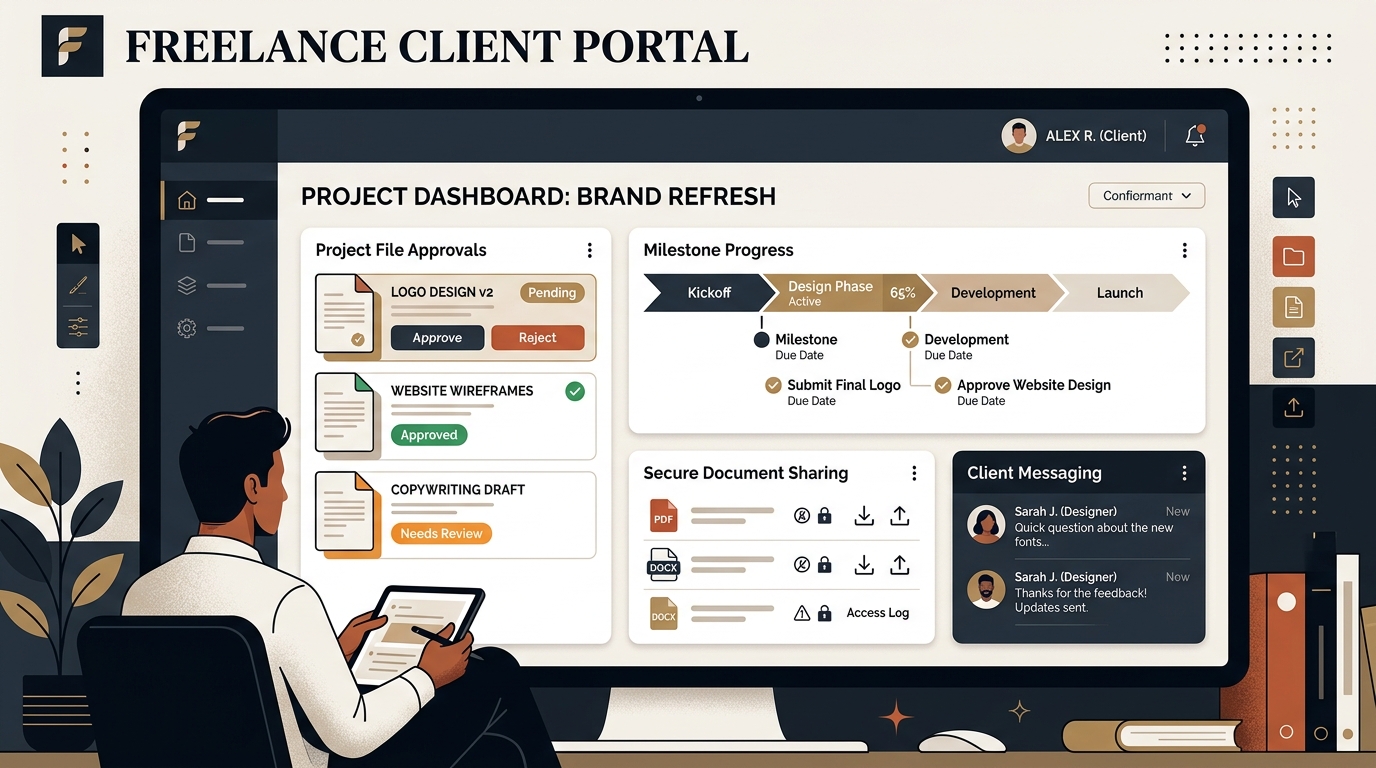
TABLE OF CONTENTS (18 SECTIONS)TAP TO EXPAND
- Executive Summary: When Should a Freelancer Invest in a Client Portal?
- Quick Comparison: Best Client Portals for Freelancers
- How We Evaluated Client Portal Tools
- 1. Moxie — The Best Client Portal for Solo Freelancers
- Key Capabilities & Client Experience
- Pricing & Freelancer Suitability
- 2. Bonsai — Best for Consulting & Professional Services
- Key Capabilities & Client Experience
- Limitations & Pricing
- 3. SuperOkay — Best for Visual Designers & Digital Agencies
- Key Capabilities
- Pricing & Verdict
- 4. SuiteDash — Best for Advanced Automation & Deep White-Labeling
- Strengths & Trade-offs
- 5. Plutio — Best for Task-Driven Project Collaboration
- Strengths
- The Client Portal Decision Framework: Which Tool Fits Your Workflow?
- 4 Rules for Client Portal Success
Executive Summary: When Should a Freelancer Invest in a Client Portal?
When you manage one or two clients, sending Google Drive links and PDF invoices over email works fine. But as your roster expands to five, eight, or twelve concurrent engagements, fragmented communication creates friction:
- Clients lose file links in deep email chains and text message threads.
- Scope creeps because clients forget what was approved in the original statement of work.
- Invoices get delayed because the client’s finance contact was not CC’d on the delivery email.
- You spend 20% of your billable week fielding basic administrative status questions (“Where is the latest draft?”, “What are our next steps?”).
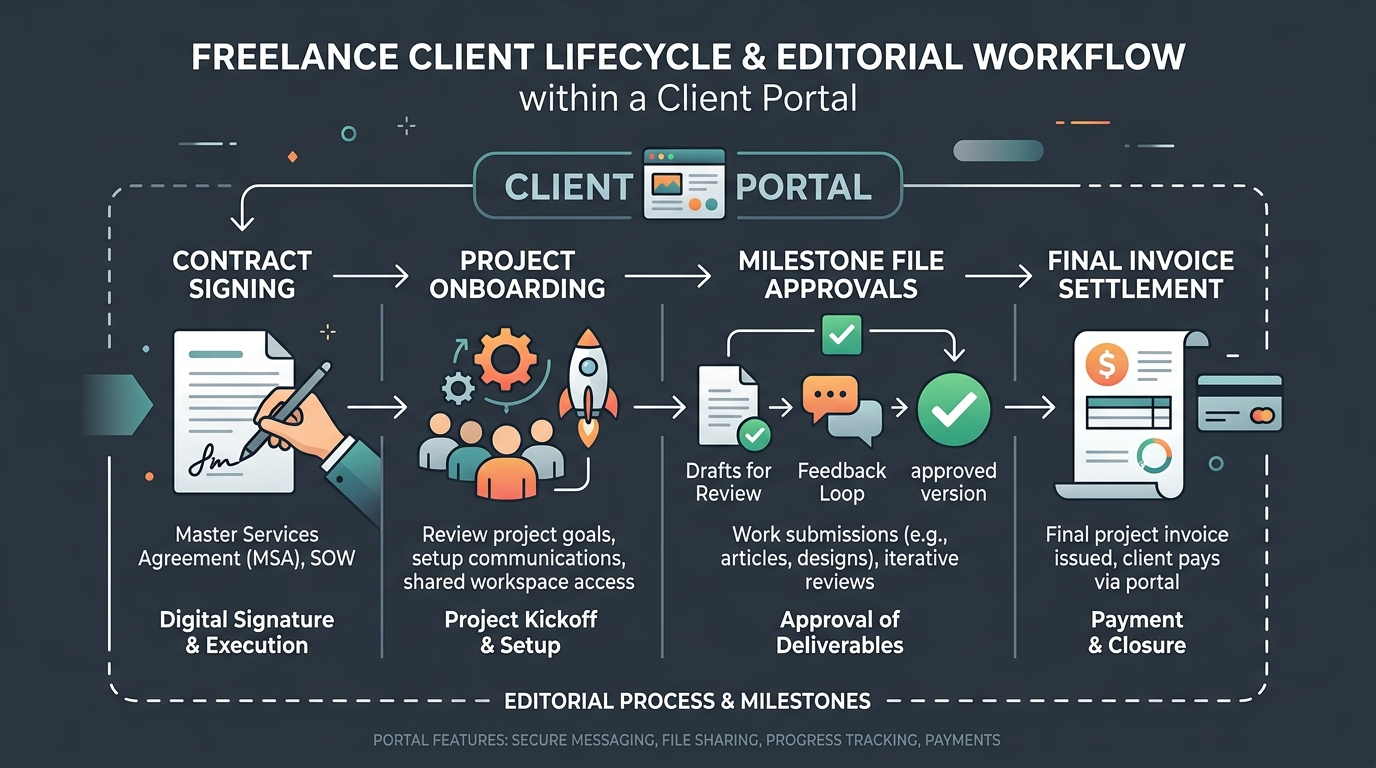
A dedicated client portal replaces that chaos with a single, branded URL. It gives your client a 24/7 self-service hub to view active milestones, download high-resolution assets, approve project deliverables, sign contract agreements, and pay invoices.
Quick Comparison: Best Client Portals for Freelancers
| Tool | Starting Price | Free Plan / Trial | Best For | Magic Link Access | Custom Domain (CNAME) |
|---|---|---|---|---|---|
| Moxie | $14/mo | Generous Free Tier | Solo Freelancers | Yes | Yes (Pro) |
| Bonsai | $21/mo | 7-day Trial | Consultants & Agencies | Yes | Yes |
| SuperOkay | $19/mo | 14-day Trial | Creative Studios & Design | Yes | Yes |
| SuiteDash | $19/mo | 14-day Trial | Power Users & White-Label | Yes | Yes |
| Plutio | $19/mo | 14-day Trial | Task-Driven Project Managers | Yes | Yes |
| HoneyBook | $16/mo | 7-day Trial | Event & Creative Services | No (Login required) | No |
| Dubsado | $20/mo | Unlimited Free Trial (3 clients) | Complex Automation Workflows | No | Yes |
| Agiled | $15/mo | Free Tier (Limited) | Operations & Multi-Tool Stacks | Yes | Yes |
How We Evaluated Client Portal Tools
Our evaluation methodology tests client portal software on the practical operational constraints of solo operators:
- Client Onboarding Friction: Does the client need to create an account and remember a password, or can they access everything via secure one-click magic links?
- File & Deliverable Approvals: Can clients leave contextual feedback and formal sign-offs directly inside the portal?
- Billing & Contract Integration: Does the portal link to proposal software and e-signature workflows?
- Custom Branding & Polish: Can you remove vendor watermarks and apply your custom domain, colors, and logos?
- Setup Complexity: Can a solo freelancer launch a clean portal in under 30 minutes without reading a 200-page configuration manual?
1. Moxie — The Best Client Portal for Solo Freelancers
Moxie (formerly Hectic) was built specifically for solopreneurs, freelance developers, and independent creatives. Unlike legacy enterprise portals that demand extensive role-permission setup, Moxie lets you deploy a clean, branded client space in minutes.
Key Capabilities & Client Experience
- Frictionless Magic Links: Clients receive a unique, encrypted magic link in their onboarding email. Clicking it brings them straight into their dedicated portal—no registration or forgotten passwords required.
- Unified Workspace: Clients see their active project roadmap, deliverables awaiting feedback, open invoices, signed contracts, and meeting booking links.
- Integrated Scheduling & Invoicing: Moxie bundles a built-in calendar scheduler (similar to scheduling apps for freelancers), integrated time tracking, and instant Stripe/PayPal invoice settlement.
- Mobile Web App: Clients can review deliverables, approve revisions, and settle invoices directly on mobile browsers without installing native software.
Pricing & Freelancer Suitability
- Free Plan: Free forever for solo freelancers managing essential client projects with core invoicing and portal features.
- Pro Plan ($14/mo): Adds custom domain CNAME mapping, advanced pipeline automation, and multi-currency billing.
2. Bonsai — Best for Consulting & Professional Services
Bonsai is the gold standard for independent consultants who want legal contract templates, proposal generation, time tracking, and client portal access combined in one cohesive system.
Key Capabilities & Client Experience
- End-to-End Deal Flow: When a prospect approves your proposal and contract, Bonsai automatically provisions their client portal, populates their agreed milestones, and triggers the initial retainer invoice.
- Document Archive: Clients can download past invoices, payment receipts for their tax records, and execute formal change orders.
- Collaboration & Chat: Integrated client messaging keeps communications attached to specific project milestones rather than scattered across email.
Limitations & Pricing
- Pricing: Starts at $21/month (billed annually) for the Starter tier, scaling to $32/month for the Professional tier which includes custom branding and portal white-labeling.
- Drawback: Bonsai has less granular task-board customizability than dedicated free project management tools like Linear or Trello.
3. SuperOkay — Best for Visual Designers & Digital Agencies
If your work involves design sprints, interactive wireframes, and digital asset approvals, SuperOkay offers the most visually refined, modern client-facing interface.
Key Capabilities
- Interactive Smart Canvas: Rather than a static list of links, SuperOkay creates a dashboard of modular “Smart Blocks”—embedding Figma prototypes, Airtable bases, Loom video walkthroughs, and Google Docs directly into the client portal.
- Actionable Request Lists: Break down required client inputs (e.g., “Provide brand vector logo”, “Approve staging DNS records”) with clear deadlines and status badges.
- Clean White-Labeling: Fully supports custom domain hosting, branded CSS styles, and custom client welcome screens.
Pricing & Verdict
- Solo Tier ($19/mo): Up to 5 active client portals with custom branding.
- Verdict: The top choice for UI/UX designers, copywriters, and branding consultants who need a presentation layer as polished as their design work.
4. SuiteDash — Best for Advanced Automation & Deep White-Labeling
SuiteDash is a heavyweight business operations engine. It includes client portals, CRM pipelines, learning management systems (LMS), and complex drip automations.
Strengths & Trade-offs
- Deep White-Label Customization: You can customize every URL, email sender address, login screen, color code, and even translate the interface into multiple languages.
- Steep Learning Curve: Because SuiteDash caters to established multi-staff agencies, its setup interface can feel overwhelming for a solo freelancer who just wants to share three deliverables and an invoice.
- Pricing: Starts at $19/month for the Start tier with unlimited client accounts.
5. Plutio — Best for Task-Driven Project Collaboration
Plutio bridges the gap between project management boards and client-facing portals. If you want your clients to see real-time task progress, submit support tickets, and comment directly on Kanban cards, Plutio is an excellent middle ground.
Strengths
- Fine-Grained Permissions: Choose exactly which task lists, time logs, and custom fields clients can view versus which remain private to your internal notes.
- Built-in Time Tracking & Invoices: Convert tracked billable hours from freelance time tracking tools directly into portal line items.
- Pricing: Solo plan starts at $19/month.
The Client Portal Decision Framework: Which Tool Fits Your Workflow?
To choose the right client portal for your business, evaluate your primary client deliverable:
                      WHAT IS YOUR PRIMARY SERVICE?
                                    │
         ┌──────────────────────────┼──────────────────────────┐
         ▼                          ▼                          ▼
  CONSULTING / CODE          CREATIVE DESIGN             HIGH-VOLUME RETAINERS
(Milestones + Invoices)    (Figma / Visual Assets)        (Custom Pipelines)
         │                          │                          │
         ▼                          ▼                          ▼
Moxie / Bonsai SuperOkay SuiteDash- If you are a solo developer, copywriter, or marketing consultant: Choose Moxie or Bonsai. They require virtually zero maintenance and unite contracts, hours, and billing into one view.
- If you are a UI/UX designer, illustrator, or web agency: Choose SuperOkay. Embedding live prototypes from Figma or Penpot directly into client workspaces elevates your perceived value.
- If you already use a separate CRM and accounting stack: Pair your existing cloud storage with a lightweight portal or Notion client dashboard.
4 Rules for Client Portal Success
- Never Make Account Creation Mandatory: If a client has to create a new password just to view a PDF, they will email you asking for an attachment instead. Use magic link portals.
- Introduce the Portal in Your Welcome Packet: Walk the client through the portal during your onboarding discovery call, showing them where invoices and milestones live.
- Keep Off-Platform Messages in the Portal: When a client emails you a question about a deliverable, reply with the answer and a link to the corresponding portal milestone to reinforce the workflow.
- Archive Closed Projects Cleanly: At the end of an engagement, export final asset archives to your freelance cloud storage so clients always retain permanent offline access to their deliverables.
WHAT WE APPRECIATED (PROS)
- ✓Centralizes invoices, deliverables, scopes, and sign-offs in one branded URL
- ✓Eliminates 'Where is that file?' and 'Did you get my email?' back-and-forth
- ✓Provides frictionless client magic links so clients do not have to manage passwords
- ✓Integrates contract signing, deposit payments, and milestone progress
DRAWBACKS & FRICTION (CONS)
- ✕High setup friction if you choose enterprise-heavy agency platforms
- ✕Some traditional corporate clients still prefer plain email attachments
- ✕All-in-one platforms can duplicate features if you already use standalone accounting
Best Client Portal Software for Freelancers in 2026 Rating Breakdown
Solo freelancers, design consultants, and boutique studios managing 3 to 15 concurrent active client relationships.
Moxie delivers the most intuitive, freelancer-tailored client portal experience with zero client login friction, while Bonsai excels for consultants wanting integrated legal contracts and bookkeeping. For custom agency branding, SuiteDash and SuperOkay provide deep white-label control.
EVALUATION METRICS
Speed of setup, friction in daily operations, and intuitive mental model for non-enterprise users.
Utility of capabilities without unnecessary enterprise bloat that slows down solo execution.
Return on investment for a single seat, clear billing tiers, and fair feature gates.
Uptime track record, offline resilience, and friction-free portable data export.
Specific suitability for client collaboration, single-seat economics, and lean overhead.
Frequently Asked Questions
Do solo freelancers really need a dedicated client portal?+
If you manage more than three concurrent clients, a client portal saves 3 to 5 hours per week by centralizing file downloads, feedback approvals, and invoice payments in one permanent link, preventing lost email attachments and confusion.
Do clients actually log into client portals, or do they ignore them?+
Clients resist portals that require complex password registrations. Modern platforms like Moxie and SuperOkay solve this using passwordless magic links or embedded email notifications, giving clients instant one-click access without account fatigue.
Can I host a client portal on my own custom domain (white-labeling)?+
Yes. Tools like SuiteDash, SuperOkay, and Moxie (Pro tier) allow you to map custom CNAME domains (e.g., portal.yourstudio.com) and add your custom favicon, logo, and brand color palette.
How does a client portal integrate with my contracts and invoicing?+
All-in-one freelance suites like Bonsai and Moxie link client portal workspaces directly to your proposal software, electronic signatures, and Stripe deposit checkout.

Freelance Tool Guide Team
The editorial team behind Freelance Tool Guide, independently researching and testing software for freelancers and small teams.
More Independent Software Analyses
Best CRM Software for Freelancers: Free & Affordable Options
Managing client leads across messy spreadsheets? Discover the best CRM tools for solo consultants and freelancers to track deals, follow-ups, and retainer value.

Best Proposal Software for Freelancers: Free & Paid Options
Win bigger client contracts with less friction. We test the best proposal software and e-signature tools for freelancers, comparing speed, analytics, and templates.

The Independent Contractor Checklist: 7 Clauses Every Freelance Agreement Needs
Do not start client work on a handshake. Protect your income and intellectual property with this 7-point freelance contract checklist designed for independent contractors in 2026.